You’ve clicked Buy Now on a gadget, then waited. Sometimes it feels instant, sometimes it feels like forever. And yet, money never “just moves” when you hit pay.
Online payment platforms run a hidden set of steps that check your payment, hold funds, and then move money later. When you understand that flow, you feel calmer as a shopper. You also run fewer checkout issues as a business.
In this guide, you’ll see the end-to-end process, from the first click to final settlement. You’ll also learn what’s happening during authorization, capture, and settlement, and why those terms show up everywhere in payments.
Then we’ll compare how Stripe, PayPal, Square, and Adyen handle transactions, plus the security protections that keep fraud down. Finally, we’ll cover what’s trending in 2026, like faster fraud checks, more BNPL choices, and faster settlement options.
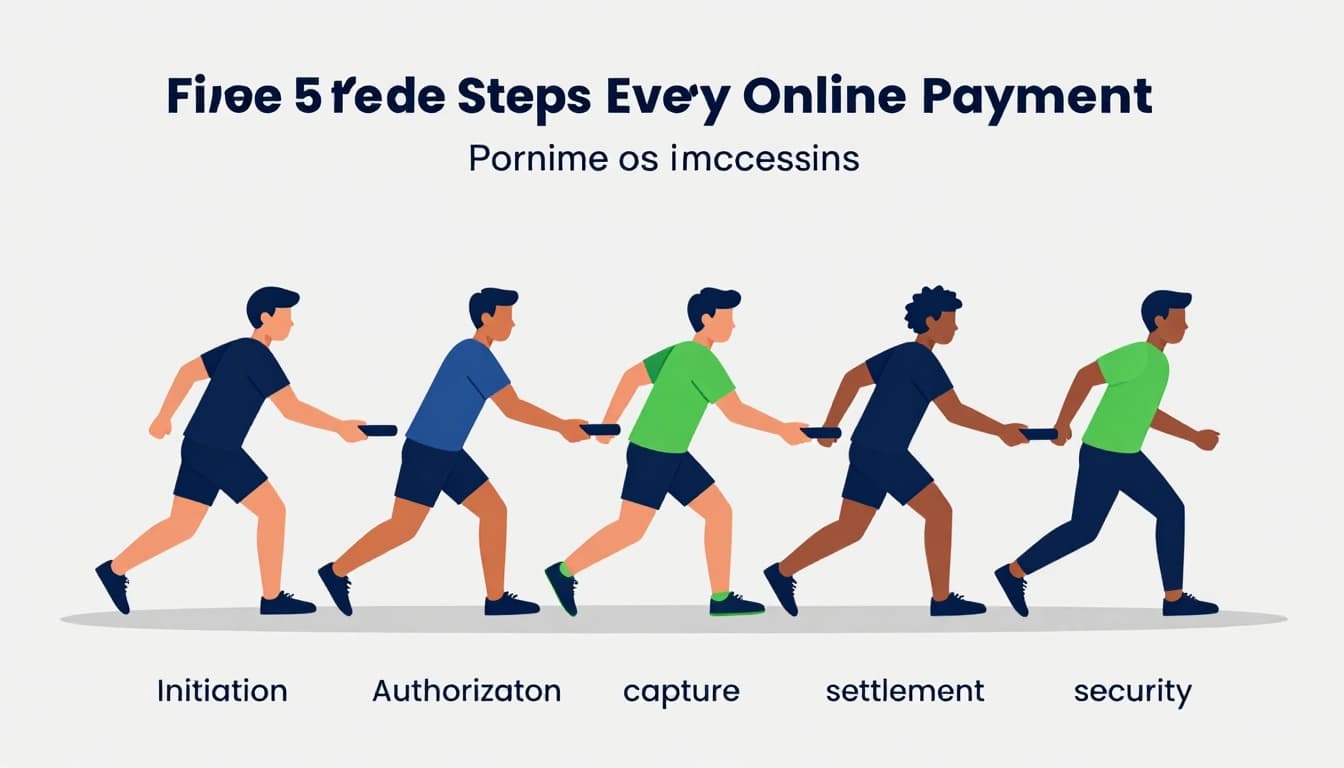
The Five Key Steps Every Online Payment Follows
Think of online payments like a relay race. The baton passes from one system to the next. Each pass has one job, and timing matters.
Most card and wallet payments follow this same backbone:
- Initiation: You choose a payment method at checkout.
- Authorization: The network confirms the funds are allowed.
- Capture: The merchant claims the charge (often right after checkout).
- Settlement: Funds move for real, in batches, after approvals.
- Security checks: Risk systems and authentication reduce fraud.
This is why you might see a “pending” charge. Authorization checks first, then capture and settlement finalize everything behind the scenes.
If you want a more detailed walkthrough of how authorization, clearing, and settlement connect, this explainer is a solid reference: Authorization, Clearing, Settlement: Payment Lifecycle Made Clear.
Why the steps matter
- Customers care about approval time and whether charges are “real.”
- Merchants care about chargebacks, payout timing, and conversion rates.
- Platforms care about reliability, risk control, and correct bookkeeping.
Below, each step breaks down in plain English.
Initiation: Picking Your Payment and Starting the Flow
Initiation begins when you reach checkout. You select a card, wallet, or bank transfer. Then the platform (or payment gateway) starts the request chain.
In many online purchases, your browser sends data to the payment gateway. Sometimes you get a redirect to a wallet login, like PayPal. In other cases, you stay on the same page while the platform verifies your payment details.
A key point: no money moves yet. This step just starts the process. It’s like reserving a table before the restaurant counts seats and closes the bill.
Also, platforms often show different options based on where you live. That’s because methods and rules differ by country and payment network.
If you want the “what kicks off the process” view, this breakdown of how gateways fit in helps: What Is a Payment Gateway? How Online Payments Actually Work.
Authorization: Does Your Bank Say Yes?
Next comes authorization. This is where the platform asks, “Are funds allowed for this purchase?”
For card payments, the request goes through the card network to your issuing bank. The bank checks things fast, like your account status and available balance. You’ll see approvals and declines in seconds.
Meanwhile, authentication may happen too. That could mean a one-time code, a passkey, or a biometric check. Even if you don’t notice it, authentication often runs behind the scenes.
Important detail: authorization is usually a hold, not a full transfer. Your bank may place a temporary hold to confirm the charge is possible. That’s why a pending charge can disappear if you cancel quickly.
Here’s a simple example. You order coffee online for pickup. The app places an authorization hold as soon as checkout completes. Only later does the merchant capture the charge and settle funds.
Capture: Time to Claim the Money
Capture is when the merchant turns that approved hold into a final charge.
In many modern setups, capture happens soon after authorization. The platform handles the timing so your checkout stays smooth. In other setups, capture can happen later, like with subscriptions or delayed shipping.
When capture occurs, the system tells the network to finalize the charge amount. Then the transaction becomes much harder to change, because it’s no longer just a hold.
If a purchase never ships, merchants often avoid capture or cancel the charge. That policy helps protect customers from paying for orders that never arrive.
Also, capture matters for disputes. If someone tries to claim fraud after capture, the record shows that the merchant followed the rules.
Settlement: Getting Paid into Your Account
Settlement is the money movement phase that happens after approvals. Payments get grouped, or batched, and then funds move between banks.
Most processors settle on a schedule. For many businesses, payout lands daily or every few days. Exact timing depends on the processor, your risk level, and your agreement.
Fees get deducted during settlement. That’s where the “real cost” of payment processing shows up. Often, it’s a percentage plus a small fixed fee per transaction.
Finally, settlement ties to reconciliation. The platform must match each payment to the right order, invoice, and accounting entry. That’s why payment systems store lots of metadata.
If you want the clean version of the card authorization and settlement flow, Stripe has an easy reference here: Credit card payment authorization and transaction settlement process.
How Stripe, PayPal, Square, and Adyen Each Do It a Bit Differently
Most platforms follow the same payment lifecycle. Still, they differ in UX, setup style, and how they connect methods.
Here’s a quick comparison of what often feels different to customers and merchants:
| Platform | Common “feel” at checkout | Typical setup style | Best fit for |
|---|---|---|---|
| Stripe | Card and wallet options with smart routing | Developer-friendly APIs and hosted checkout | SaaS, online businesses scaling |
| PayPal | Redirects to PayPal login, fast wallet trust | Wallet-first flow with funding choices | Buyers who prefer PayPal account |
| Square | Simple online and in-person tools | Easy dashboard for small shops | Small businesses adding online sales |
| Adyen | Multi-method flows for global buyers | Enterprise orchestration and routing | Large brands with complex needs |
If you’re picking between common options, this guide compares trade-offs in a practical way: Stripe vs PayPal vs Square: Which Payment Gateway Is Best.
Stripe: Smooth and Developer-Friendly
Stripe often feels like “payment infrastructure first.” Merchants can customize checkout heavily. They can also plug payments into apps using APIs.
From the customer side, Stripe-powered checkouts usually offer multiple methods in one place. They may also show additional options based on what’s likely to work.
Under the hood, Stripe runs the usual lifecycle. Authorization checks happen first, then capture and settlement follow. Stripe’s dashboards and tooling help merchants manage timing, refunds, and reconciliation.
PayPal: Your Account, Your Control
PayPal is wallet-first. That means many checkouts send buyers to a PayPal login step. Then you pick a funding source, like your PayPal balance or linked card.
This design can reduce friction for shoppers who already trust PayPal. It also keeps details like card entry tied to PayPal’s secure process.
When it works, it’s simple. You authenticate, return to the merchant, and the platform continues the lifecycle with authorization and capture.
Square: Easy for Small Shops
Square blends tools for online and in-person. Many small merchants start with a simple setup. Then they expand as they learn what converts.
Square’s customer checkout often looks familiar. It tends to focus on quick completion and easy access to receipts.
For merchants, the main difference is how fast you can go from “I want to sell online” to “I can process cards.” The transaction flow still follows the same lifecycle, but the configuration tends to feel lighter.
Adyen: Built for Big Global Reach
Adyen is known for handling complex payment needs at scale. It supports many payment methods across countries and channels.
For customers, Adyen flows can feel local. The checkout may present methods common in the shopper’s region.
For merchants, the big win is orchestration. Adyen can route traffic across multiple methods and manage settlement patterns. That matters when you sell globally and need consistent reporting.
Ironclad Security That Protects You at Every Turn
Security isn’t one thing. It’s a set of layers. Each layer blocks a different kind of risk.
So when you wonder, “Why does this payment feel safer than it used to?” the answer is layered controls. Some happen during initiation and authorization. Others kick in when fraud signals show up.
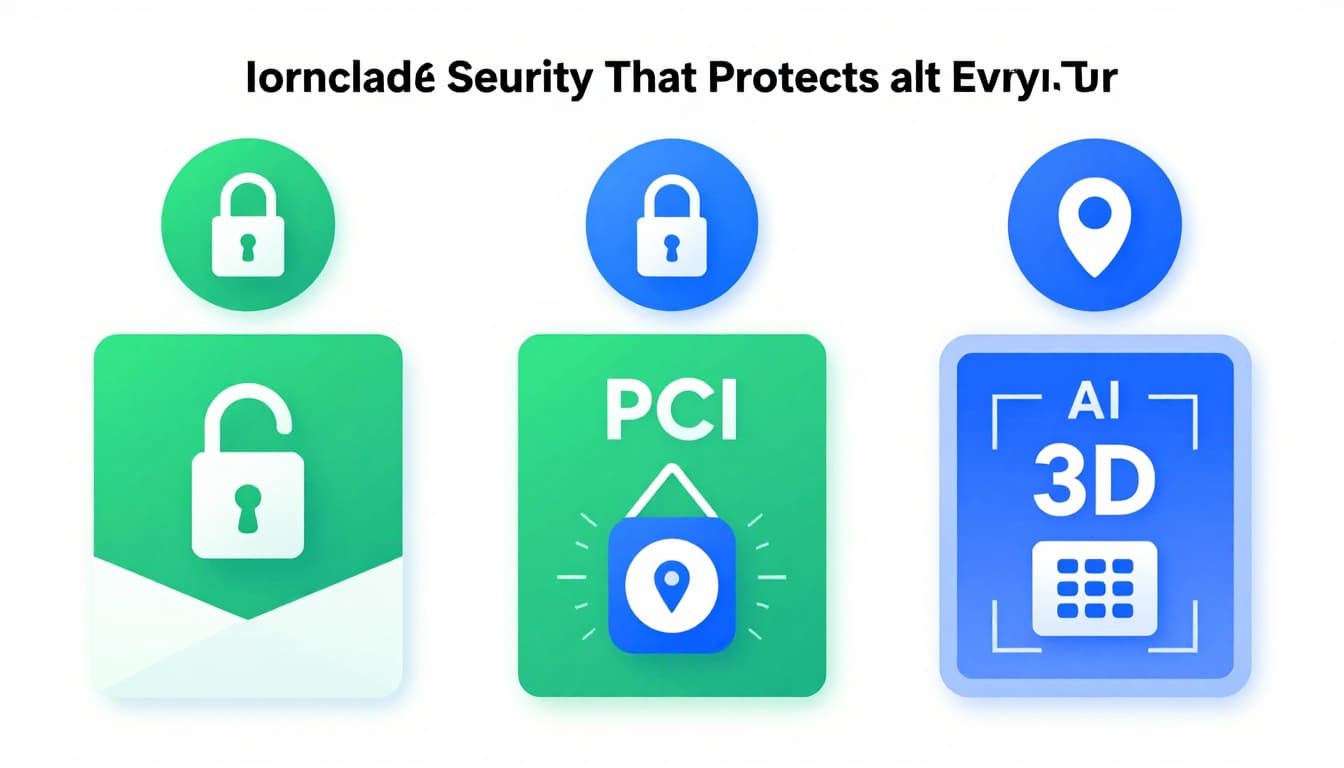
Here are the protections most commonly tied to online payment processing.
- PCI compliance: reduces the chance that card data leaks from systems.
- Tokenization: swaps sensitive card details for a token.
- 3D Secure (3DS): adds extra authentication for card-not-present purchases.
- AI fraud screening: flags odd behavior, like mismatched devices or risky patterns.
Tokenization and PCI: Keeping Card Info Hidden
PCI is a set of rules for handling card data. When a platform or gateway is PCI compliant, it reduces how much sensitive data touches merchant systems.
Tokenization goes even further. Instead of storing your card number, systems store a token. A token can work for charging again, without exposing the original card details.
That’s why stored payment methods can feel safe. If a merchant gets hacked, stolen tokens are much less useful than raw card numbers.
If you want a practical explanation of how tokenization reduces PCI exposure, this guide is clear: PCI DSS Tokenization: Reduce Scope in Hybrid Environments.
3D Secure and Smart AI Fraud Tools
3D Secure adds an authentication step for many card online purchases. It helps banks decide whether the shopper is the real card holder. The result can be fewer fraud losses and clearer liability rules.
In many cases, 3DS can be low-friction. Some transactions pass quietly if the risk looks low. Higher-risk charges trigger more checks.
To see how 3DS works with modern EMV 3DS flows, this 2026 guide breaks it down: What Is 3D Secure? A Complete 2026 Guide.
At the same time, AI fraud tools look at patterns. They may check device signals, login history, spending patterns, and location. If something looks off, the system can step up authentication or block the charge.
The key idea is timing. Fraud checks happen during authorization, right when decisions get made.
The safest payments don’t just “accept.” They verify, score risk, and react.
Hot Trends Reshaping Payments in 2026
Payments in 2026 are changing fast. The biggest shifts focus on speed, more options, and smarter fraud controls.
In March 2026, US payment trends include faster settlement options, more AI-based fraud prevention, and broader Buy Now Pay Later (BNPL) usage. Platforms also keep improving personalization so checkout offers the methods most likely to work.
For a broader view of the payments landscape coming up, this report-style article is useful: The 2026 Payments Landscape: What Businesses Must Prepare For.
Here are the trends likely to shape what you’ll notice at checkout.
- Embedded payments in apps: instead of leaving to a browser, payments happen inside the app.
- BNPL added earlier: BNPL gets offered during authorization, not as an afterthought.
- Faster account-to-account rails: more “pay by bank” options mean fewer card steps.
- AI-driven risk checks: fraud decisions improve as signals get richer.
Also, platforms keep pushing toward fewer integration headaches. Unified APIs and payment orchestration help merchants offer many methods without rebuilding checkout every time.
Conclusion
Online payment platforms process transactions through a clear sequence: initiation, authorization, capture, and settlement. Once you see those steps as a relay race, “pending” charges and payout delays make sense.
Security tools like tokenization, PCI controls, 3D Secure, and AI fraud screening protect you during authorization and risk checks. As a result, payments feel safer and checkout flows keep getting smoother.
Next time you pay online, you’ll know the magic at work. If you have a favorite platform experience, share it in the comments, and try a new payment method at your next checkout.